
Why Customization and Scalability Matter in Your Accounting Software
One Size Doesn’t Fit All
As your business evolves, so do your financial requirements. What works for a startup in its first year may not support a growing team, expanding revenue streams, or multi-entity reporting. That’s why choosing accounting software with customization and scalability isn’t just a nice-to-have—it’s essential for long-term success.
In this post, we break down what these features mean, why they matter, and how the right platform can adapt with your business through every stage of growth.
Table of Contents
- Why Customization Matters
- Why Scalability Is Essential
- Examples of Growth in Action
- What to Consider When Choosing a Platform
- MontPac’s Recommendation
Why Customization Matters
Every business is different. From how you recognize revenue to how you structure reports, your workflows are unique. Off-the-shelf solutions often fall short when it comes to these specific needs.
Customization allows you to:
- Automate processes aligned with your internal operations
- Build reports that reflect your business’s key performance indicators
- Integrate with your existing tools, such as CRMs, billing platforms, or payroll systems
- Streamline approvals, categorization, and coding based on how your team actually works
These tailored workflows reduce manual entry, improve accuracy, and give your team the clarity it needs to make better decisions. A customized system isn’t just more efficient, it’s also easier to adopt because it mirrors your operations instead of forcing you to adapt to generic defaults.
Why Scalability Is Essential
If your current accounting system only works when your business is small, it becomes a problem the moment you grow. Scalability means your platform can handle:
- Higher volumes of transactions
- More users, departments, or locations
- Additional entities or currencies
- Increased complexity in billing, reporting, or compliance
The most scalable tools grow with you. Rather than switching platforms every time your business hits a new milestone, scalable software lets you unlock features gradually—such as advanced reporting, audit trails, or consolidation functionality—without disrupting your operations.
Examples of Growth in Action
Small Business Scaling Up:
A growing e-commerce brand started with basic accounting software. As order volume increased and inventory processes became more complex, they customized the system to automate stock tracking and integrate payment processing. This helped reduce errors and manual work, while keeping reporting accurate and up to date.
Mid-Sized Company Expanding Globally:
A manufacturing business expanded into new markets. Their accounting system scaled with them, supporting multi-currency transactions, multiple entities, and integration with their ERP. The company maintained consistent reporting across regions and stayed audit-ready without switching platforms.
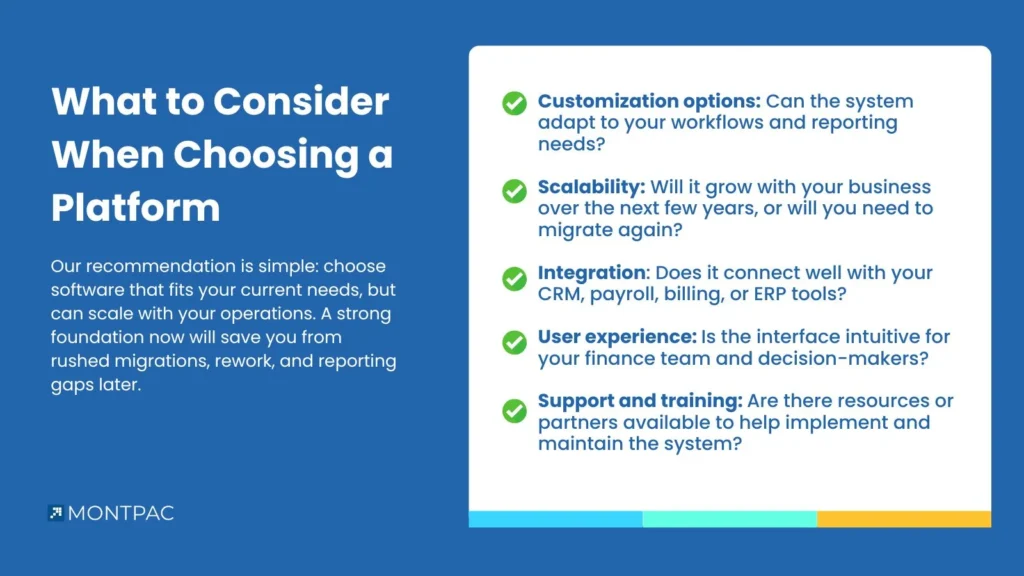
What to Consider When Choosing a Platform
When evaluating accounting software, consider:
- Customization options: Can the system adapt to your workflows and reporting needs?
- Scalability: Will it grow with your business over the next few years, or will you need to migrate again?
- Integration: Does it connect well with your CRM, payroll, billing, or ERP tools?
- User experience: Is the interface intuitive for your finance team and decision-makers?
- Support and training: Are there resources or partners available to help implement and maintain the system?
MontPac’s Recommendation
At MontPac, we’ve helped clients at every growth stage select and implement accounting systems that are both flexible and scalable. We’ve seen what happens when businesses outgrow their platforms and how much time and cost it takes to recover.
Our recommendation is simple: choose software that fits your current needs, but can scale with your operations. A strong foundation now will save you from rushed migrations, rework, and reporting gaps later.
We can guide you through platform selection, help customize workflows, and manage implementation. Whether you’re just starting to formalize your finance stack or considering a move to something more robust, we’ll make sure your accounting system works for you, not the other way around.